Generate Goal Recommendations
If you know the direction you want but do not want to start from a blank page, this is the fastest way to get high-quality first drafts.
The recommendation flow turns existing context into draft goals and key results you can review before accepting.
How to generate recommendations
- Open My Goals.
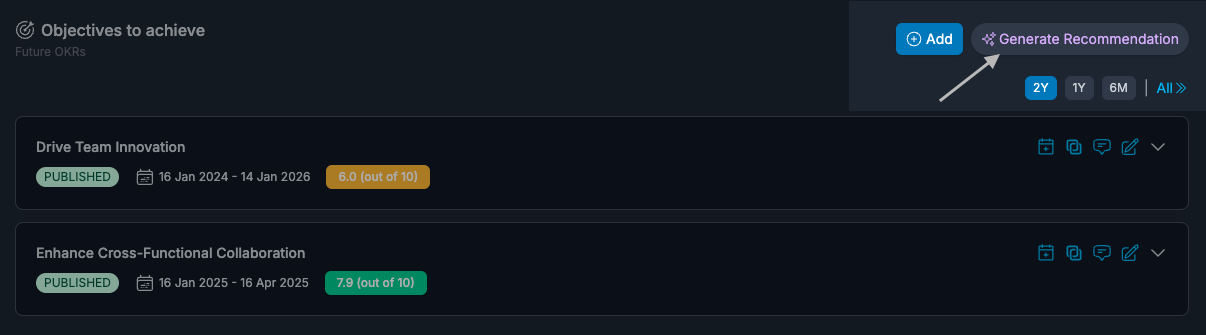
- Click Generate Recommendation.
- Add optional instructions (for example: "focus on Q2 delivery and communication improvements").
- Review generated goals and key results.
- Select what you want to keep and click Accept.
Accepted items are created as Draft goals so you can refine details before publishing.
What the AI is doing
Recommendations are built from available signals such as:
- feedback patterns
- growth opportunity signals
- demonstrated values
- role and level context (when configured)
- connected work context
The output is a starting point, not an automatic decision.
How to review AI output well
Use this quick review checklist:
- Is the objective specific enough to coach against?
- Are the key results measurable, not activity-only?
- Are dates realistic for the current cycle?
- Does each item clearly belong to growth, deliverables, or both?
If any answer is no, edit before publishing.
Common use cases
- You are planning a new quarter and need a strong draft quickly.
- You have many signals, but need help turning them into focused priorities.
- You want consistent goal quality across a team.
FAQs
Can I edit recommendations before accepting them?
You can review and select which suggested goals/key results to accept, then edit the created drafts.
Are generated goals automatically published?
No. Accepted recommendations are created as drafts.
Can I still create goals manually?
Yes. Manual creation and AI recommendations are both supported.