Team Dashboard
Most manager pain is not lack of effort. It is lack of visibility at the right time.
The Team Dashboard is where you replace scattered updates with one clear view of team momentum so coaching can happen earlier, with better context.
Team dashboard how-to
Watch this walkthrough to understand how to read the team view quickly and turn patterns into coaching priorities.
What this page helps you do
Before you open any individual profile, Team Dashboard helps you answer three practical questions:
- Who needs support right now?
- Who is building momentum and should be recognized?
- Where should I spend coaching time this week?
That is why this page combines team sentiment, goal movement, and framework coverage in one place.
How to open it
Open Team from the sidebar/top bar.
You land directly on Team Dashboard.
How to read this page well
Start with Your Team to orient yourself quickly and choose the right person to review. Then use Team Sentiment to catch shifts in how people are being experienced. After that, check Goals Progress in the 6M / 1Y / 2Y windows to separate short-term noise from longer-term movement. Finally, use the Career Framework map when you need growth-path and leveling context.
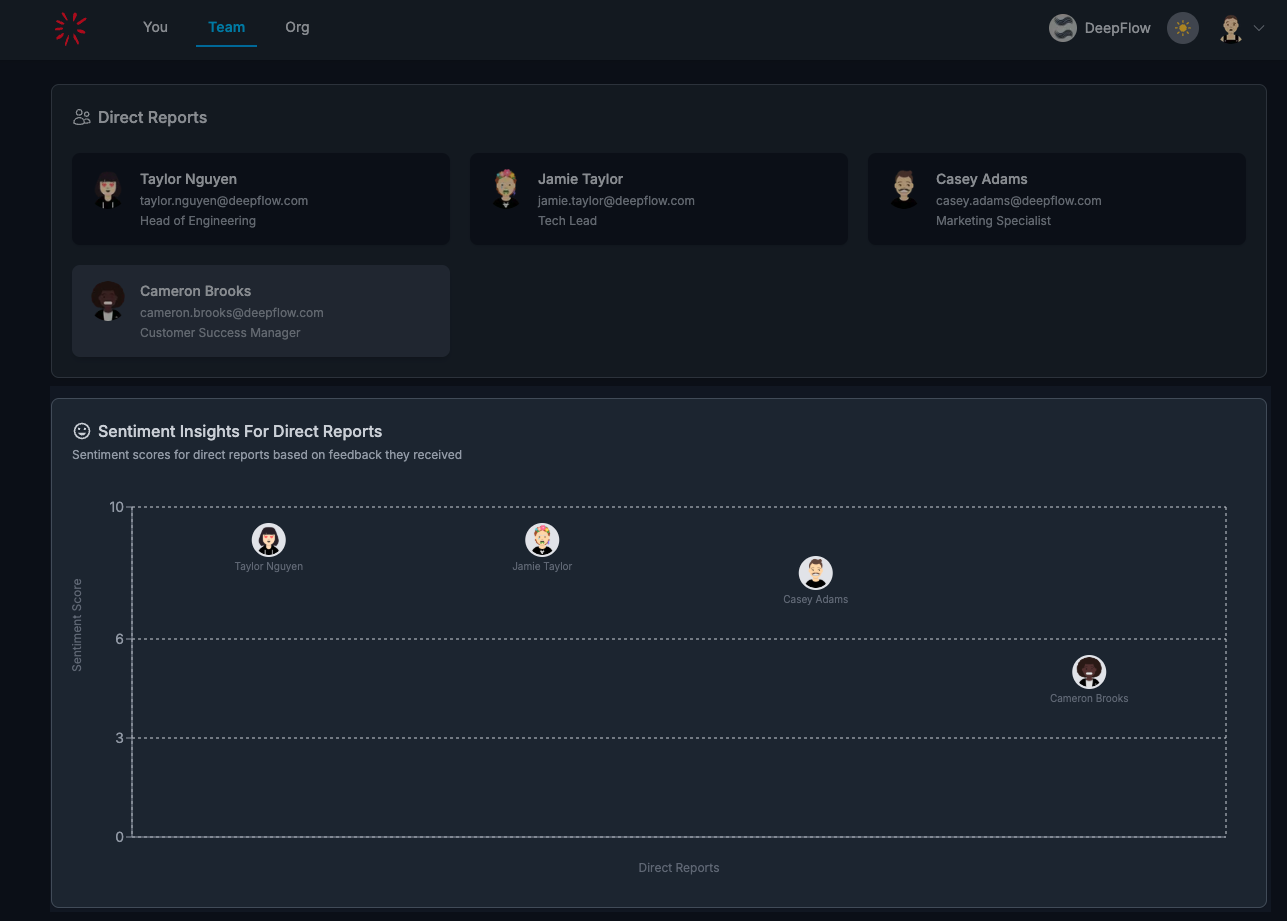
The goal is not to analyze forever on this page. The goal is to identify the most important conversation, then move into person-level detail.
A simple weekly manager rhythm
- Scan Team Dashboard for pattern changes.
- Open one direct report profile from the list or charts.
- Convert signal into one concrete next step: a 1-1 decision, a feedback loop, or a goal adjustment.
FAQs
Who can access Team Dashboard?
Managers with direct reports.
Can I open an individual directly from this page?
Yes. You can open a person from Your Team and from chart interactions.
Is Team Dashboard enough for coaching decisions by itself?
It is the starting layer. Use it to find priorities, then move into Line Report Details for full context and action.