ClarityLoop HRIS (HR+) Setup
ClarityLoop HRIS (HR+) can be activated by workspace owners in a few steps. Once enabled, it imports your existing ClarityLoop data and creates the connected HR system for your workspace.
Only Workspace Owners can enable HR+. If you're not a workspace owner, contact your workspace administrator.
Enable HR+
Access Workspace Settings
- Go to your workspace settings
- Find HR+
Activate HR+
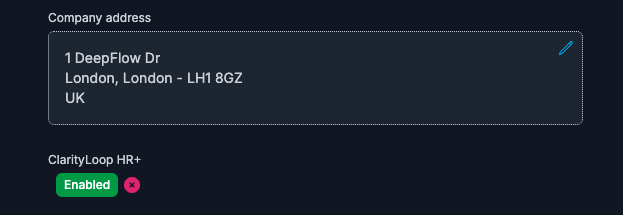
- Click Enable HR+
HR+ can be enabled after entering your company address.
Wait for Import
HR+ automatically imports your ClarityLoop data:
- Team members → Employees
- Team leads → Managers
- Workspace structure → Employee organization
It takes a few minutes for the system to sync company and employee data into HR+.
Refresh the page after 3-4 minutes, then launch HR+ from the header:

Configure HR+
After HR+ is enabled, you can configure most features yourself. Some advanced features require assistance from our support team.
Self-Service Setup
You can configure these features directly in HR+:
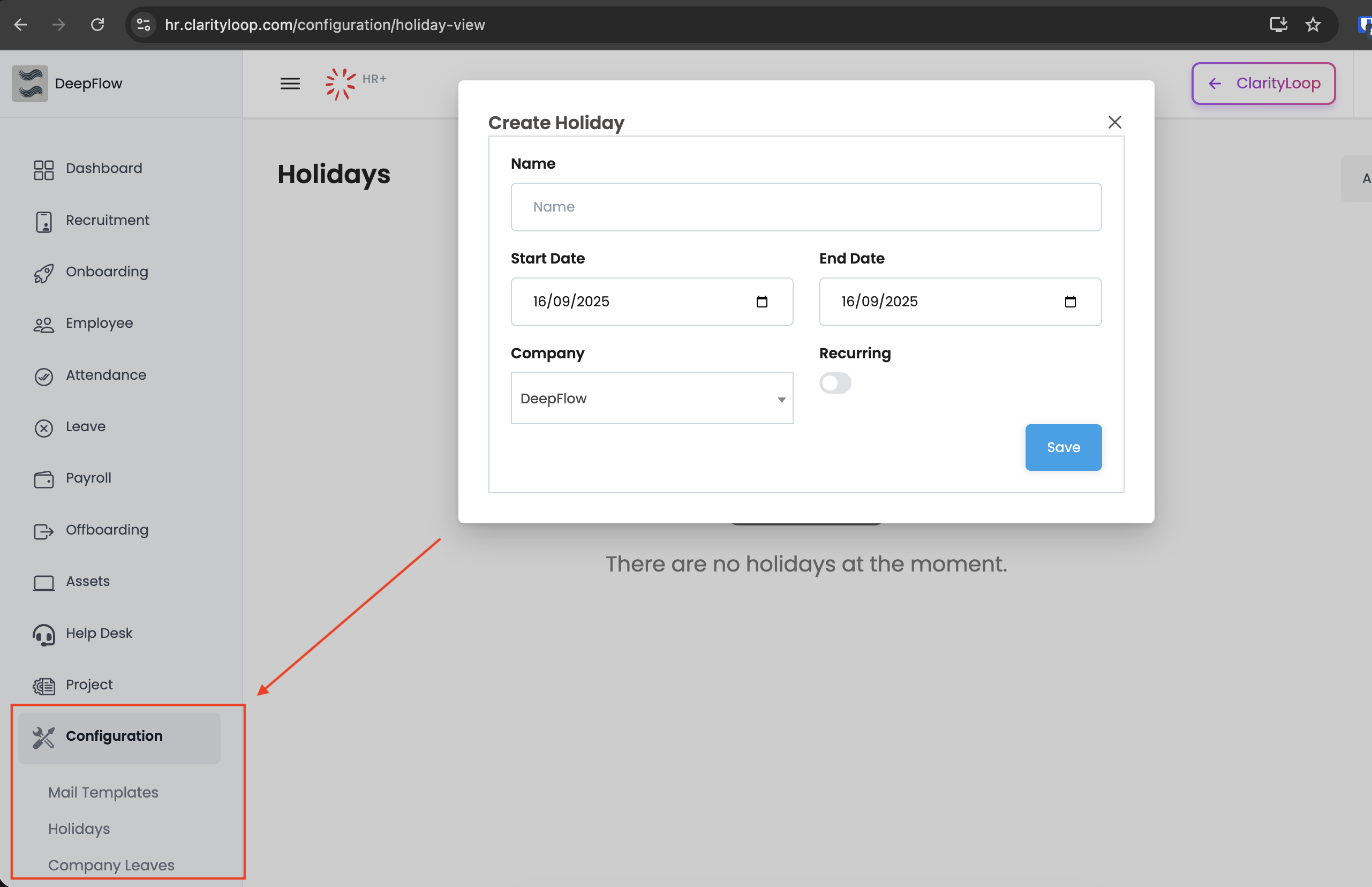
Company/Organization
- Set up holidays and company calendar
- Configure restricted leave days
- Create work schedules and shifts
People Management
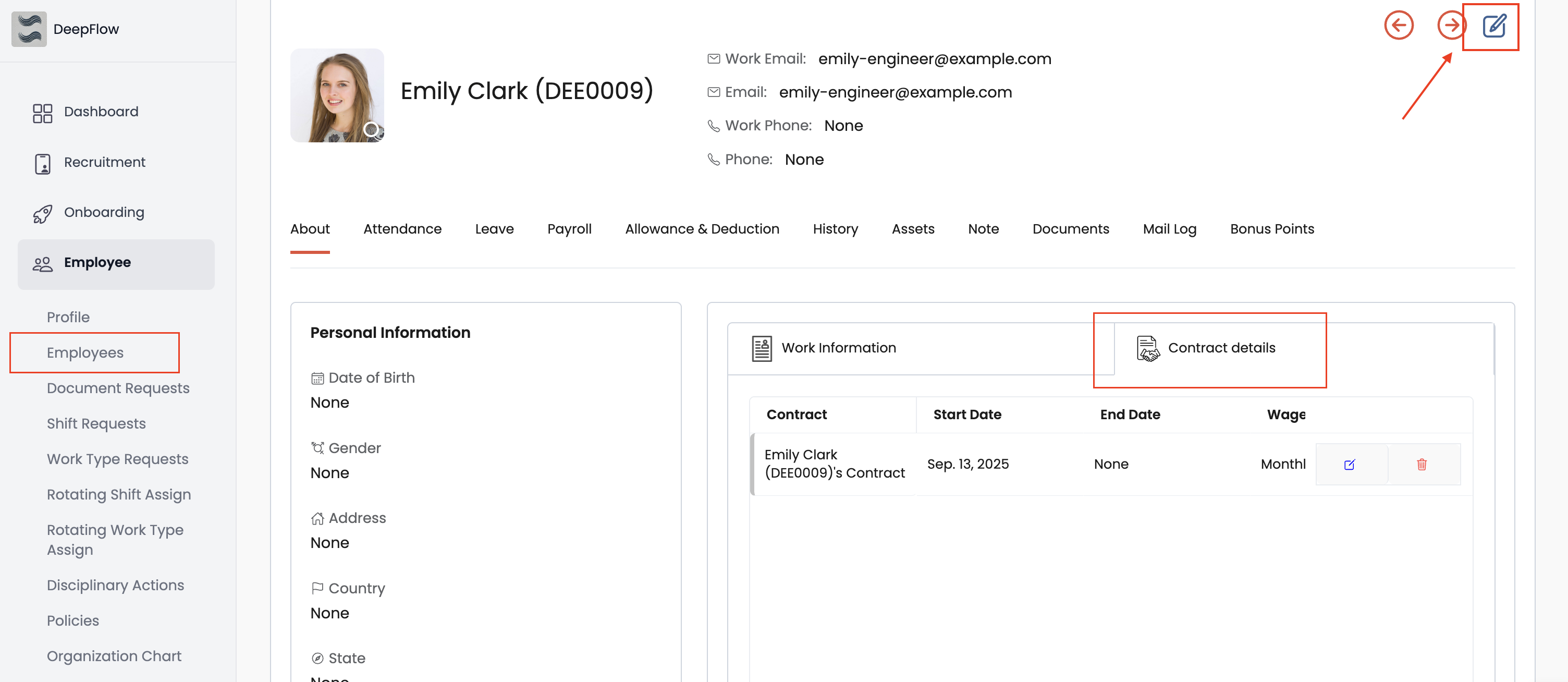
- Review and update employee contracts
- Update employee details and work information
- Assign leave types to employees
- Set up employee categories and tags
Time Off & Attendance
- Configure leave types and policies
- Define attendance policies
- Create shift schedules
On-Demand Configuration
Contact our support team (support@clarityloop.com) for these advanced features:
System-Level Settings
- Enable/disable check-in/check-out features
- Enable or disable attendance tracking for your workspace
- Configure currency symbols and formats
Payroll & Tax Setup
- Auto-generate payslips configuration
- Set up filing status for tax calculations
- Configure tax brackets and deductions
- Integrate with external payroll systems
Advanced Integrations
- LinkedIn integration for recruitment
- Third-party system integrations
- Custom API configurations
- Advanced reporting setup
Getting Support
Contact Information:
- Email: support@clarityloop.com
- Include your company name and specific requirements
- Our team will schedule a configuration session
Most self-service configuration can be completed in 30-60 minutes. On-demand features typically require 1-2 business days to configure.