Publish a competency framework
Publishing is the step that turns draft design work into a shared workspace standard.
Where publishing happens
Open Growth > Competency Framework and go to Manage.
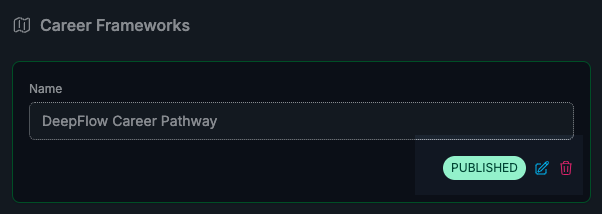
Only workspace owners can publish or unpublish frameworks.
What publishing changes
When you publish, that framework becomes the active reference for members. Drafts remain available for owners, but members only see the published version.
Only one framework can be published at a time.
What to review before you publish
Before you click publish, check these in order:
- Structure: departments, roles, tracks, and levels reflect real team design.
- Progression: each level clearly differs from the previous one.
- Language quality: responsibilities and competencies are concrete enough for coaching.
- Visibility: unfinished sections are hidden.
If any of these are weak, managers will struggle to use the framework consistently.
How to publish
- Open Growth > Competency Framework.
- Go to Manage.
- Find the draft framework card.
- Click Publish and confirm.
When to clone instead of editing in place
If you need major changes, clone first. That gives you a safe editing path while the current published framework remains stable for the team.
A safe pattern:
- Clone the active framework.
- Make structural and language updates in the clone.
- Publish the clone when complete.
Unpublish behavior
If you unpublish without publishing a replacement, members lose the active framework view.
In most cases, unpublish should be a short transition step rather than a long-term state.
After publishing: what to do next
Publishing alone is not enough. The framework becomes useful when members are assigned levels and managers start using it in growth conversations.
Continue with Assign people to framework levels.